
Twilio Text Message Opt-In
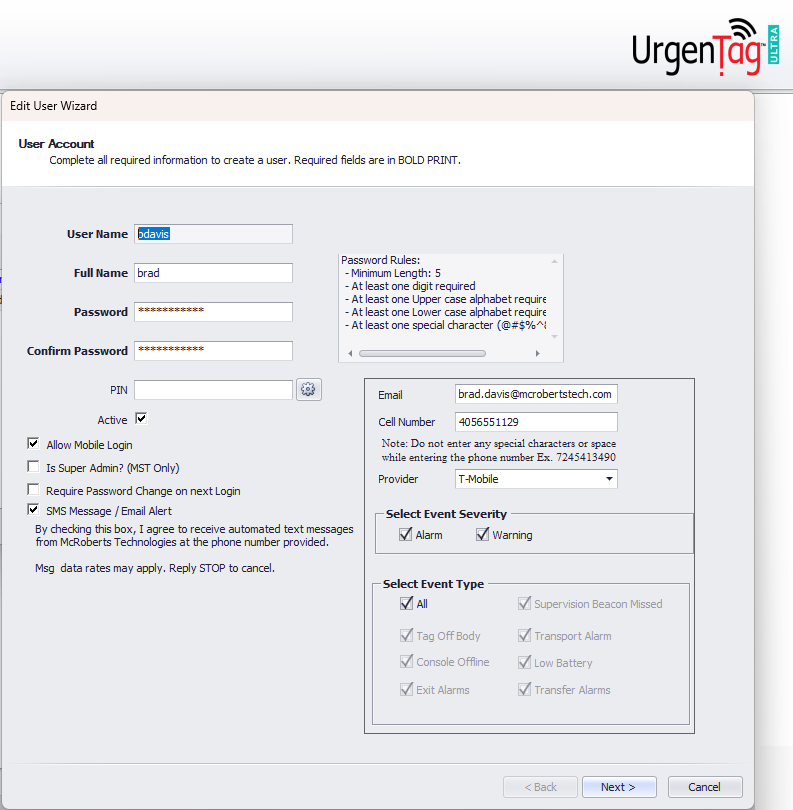
To opt-in for text messages, the user naviagates to their personal user profile. While on the "Edit User Wizard" page, the user will view a page like this. Here is where the user may add a number to receive text messages in the event of a warning and/or an alarm.
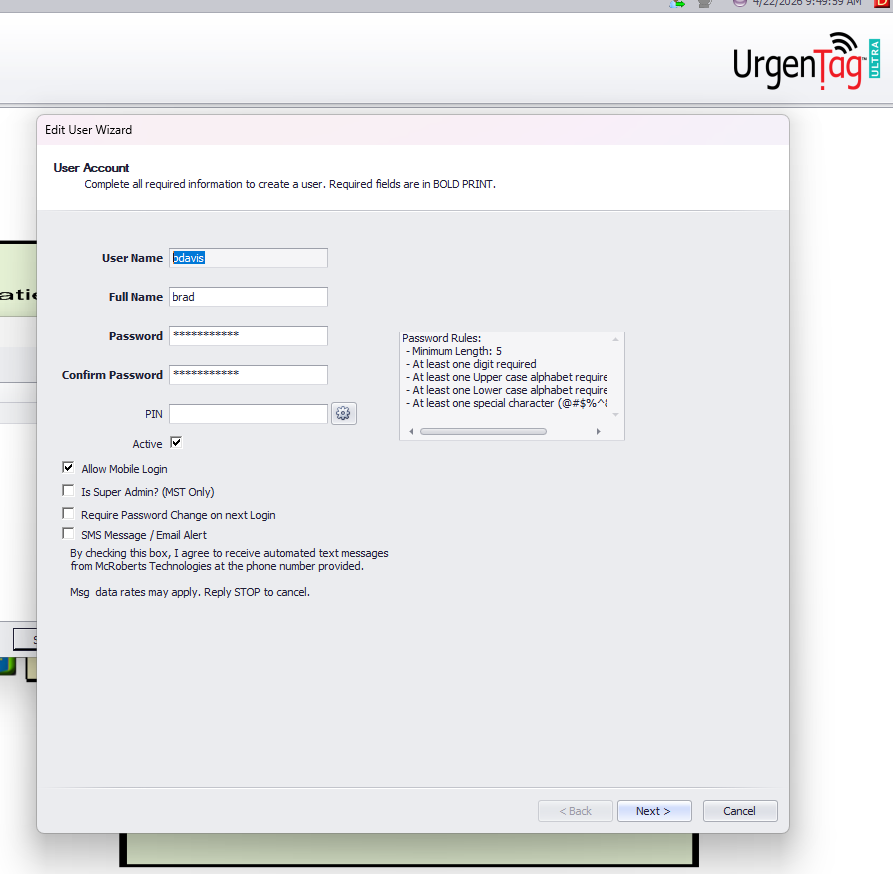
The image below shows what the user will see before opting in to receive text messages.
The image below shows what the user will see before opting in to receive text messages.
The image below shows what the user sees once they click the box titled "SMS Message/Email Alert."
By checking this box, an additional text box appears where the user can enter their mobile number and/or email.
By checking this box, an additional text box appears where the user can enter their mobile number and/or email.